AI Stream Overlays Are Flooding Etsy: The 9-Point Buyer's Checklist Before You Pay
 Nargis
Published 10 min read
Nargis
Published 10 min read

Heads up: TwitchElement sells stream overlays and widgets, and some links in this post go to our shop. The advice stands on its own either way.
Scroll an overlay marketplace for ten minutes and you'll start seeing the same pack. Same soft purple gradient. Same glowing rounded webcam frame, same slightly melted mascot with one paw too many fingers. AI stream overlays are everywhere now, listed as "custom" at $12 to $40 a pack. Some are genuinely good. Plenty are flattened junk you'll be fighting with in OBS at 2am before a subathon. Here's how to tell which is which before you pay.
TL;DR
- AI stream overlays aren't the problem on their own. Flattened files, fake exclusivity and zero disclosure are the problem.
- Two checks catch most recycled listings: a reverse image search on the mascot crop, and asking the seller for the layered source file.
- Animated packs are the biggest trap. If the "animated" assets are MP4 instead of WEBM with alpha, you get a black box in OBS.
- Grab the 9-point red flag checklist near the bottom and screenshot it before you buy your next set of AI stream overlays.
The Reddit Thread That Called Out Overlay 'Artists' (And Why It's Half Right)
You've probably seen the comment style by now, because it resurfaces in the creator subs every few months. Someone posts a shop link, and the top reply is some version of: "These 'artists' are handing out templates left right and center. Very rarely original." Right underneath it, just as upvoted, someone else says "use the AI, it's very good for stream overlays."
Both of those people are correct, and they're arguing about different things. One of them is talking about how AI stream overlays look. The other is talking about what you're actually being charged for.
The pro-AI crowd is right that a generator can produce a gorgeous panel set in four minutes. I've done it. I've fed prompts into Canva's AI tools and into newer stream-focused generators like Lovart, which openly sell the pitch: no design skills needed, no prompt engineering needed, AI stream overlays, alerts and panels ready instantly. The output genuinely looks fine on a thumbnail.
The angry-artist crowd is right about something narrower and more expensive for you: originality and labour are being priced as if they existed. A seller can generate twelve variations of one prompt, list them as twelve "unique" packs, and never touch a layer. You're not paying for AI. You're paying for a build that never happened.
Real talk: I run TwitchElement. We sell hand-built overlay packages, so read this with that bias in mind. The checklist below came from buying competitor listings of AI stream overlays and opening the files, not from a sponsorship. I've bought AI packs I liked and hand-drawn packs that were technically worse.
5-Minute Reverse Image Search: Catching Recycled AI Stream Overlays Before You Pay
This is the cheapest insurance in the entire hobby, and almost nobody does it. Five minutes, no tools you don't already have. Most recycled AI stream overlays fail this test inside the first two minutes.
- Save the listing previews. Right-click, save the two or three largest preview images.
- Crop the mascot or the ornament, not the whole board. Full-layout searches return nothing useful. A cropped character head or a corner flourish returns matches constantly.
- Run it through Google Lens and TinEye. Lens finds live marketplace listings. TinEye finds the older upload, which tells you who posted it first.
- Search the seller's own shop for their other packs. Identical lighting direction, identical bloom, identical brush grain across five "different" themes is a single prompt with recoloured output.
- Check the other marketplaces. Same asset, different shop name, on Gumroad or a Streamlabs or own3d listing is a resale flip.
Resold AI stream overlays are the part that should annoy you. Somebody buys a cheap commercial-use pack, re-uploads it, and sells you "exclusive." Nobody on the platform is checking. Etsy's intellectual property policy works on reports, which means the enforcement engine is you.
What AI Overlay Generators Actually Get Wrong (Hitboxes, Webcam Frames, Mobile Crop)
This is where I get opinionated, because across 500+ client setups we've built, the same three complaints come back like clockwork. They're the same three every time someone shows me AI stream overlays they bought last week, and they are almost never about how the art looks.
The webcam frame doesn't match a real webcam
A generated frame is decorative, not measured. The inner cutout lands at something like 1580x880, your cam source is a clean 16:9, and now you're scaling a source non-uniformly in OBS and wondering why your face looks slightly wide. For a PNGTuber it's worse, because your model's vertical bounce clips the frame's bottom edge every time you get loud.
Flattened files instead of layers
Open the zip. Most AI stream overlays ship flattened. If a 12-asset pack is a handful of flat PNGs and the download weighs less than about 5MB, there's nothing to edit. No separate text layer for your sub goal. No isolated alert frame. Want your handle moved 40px left? You can't, and neither can the seller, because they never had a source file either.
Animation that isn't actually transparent
The number of "free animated stream overlays" floating around as MP4 is genuinely funny until it's your stream. MP4 has no alpha channel, so OBS gives you a black rectangle. You want WEBM with VP9 alpha, or an image sequence. OBS Studio's official knowledge base covers the source settings, but the file has to be right in the first place.
Then there's small text. AI stream overlays love 14px labels that evaporate at 360p on a phone in a dark room. Half your audience watches that way. Before you buy, crop the preview to what a phone shows and look at it on your actual phone, brightness down.
License Fine Print: Who Actually Owns Your AI-Generated Overlay?
Not legal advice, I'm a streamer and a shop owner, not your lawyer. But three things are worth knowing before you build a brand on AI stream overlays.
First, in the US, the Copyright Office has been clear that material produced purely by a machine, with no meaningful human authorship, isn't registrable. Their guidance on copyright and artificial intelligence is the primary source. Practically: if someone rips your logo off a generated pack, your ground to stand on is thinner than you think.
Second, exclusivity claims on generated art are mostly vibes. AI stream overlays can't really be exclusive, because the same prompt is sitting there for everyone else. If a listing says exclusive, ask them in writing whether the base art was AI-generated. Their answer, or their silence, is your data.
Third, check what the pack includes that isn't theirs to include. Overlays stuffed with the Twitch glitch, the purple wordmark, or platform logos violate the rules in the Twitch brand guidelines. Sellers using generators get this wrong constantly, because the model happily hallucinates a logo into the corner.
Are ai stream overlays free versions any safer?
Free is fine for week one. Free AI stream overlays get you something on screen while you work out whether streaming sticks. The catch is that free tiers usually output flattened PNG at whatever resolution the model felt like, and the commercial-use terms change whenever the company changes its pricing page. Don't build a two-year brand on it.
The Buyer's Checklist: 9 Things To Check Before You Pay For AI Stream Overlays On Etsy
Screenshot this. It's the actual audit I run on AI stream overlays, in order, and it takes about eight minutes.
| # | Check | Red flag |
| 1 | Layered vs flattened files | No PSD, AI or layered source listed anywhere in the description |
| 2 | Reverse image search | Same cropped mascot appears in another shop's listing |
| 3 | Mobile dark-mode crop test | Labels unreadable on a phone at low brightness |
| 4 | Webcam frame and hitbox alignment | Inner cutout isn't a clean 16:9 or 4:3 ratio |
| 5 | Resolution consistency | Some assets 1920 wide, others upscaled from ~1024 with soft edges |
| 6 | Watermark residue | Ghost text, stray letterforms, six-fingered hands, melted icons |
| 7 | License terms | No commercial-use statement, or "exclusive" with no explanation |
| 8 | Seller AI disclosure | Question about AI use goes unanswered for 48 hours |
| 9 | Refund policy | "Digital, all sales final" with no revision or fix offered |
Four or more flags, walk. Two or three, message the seller first. Zero flags on a $15 listing means you found a good one, and you should say so in the review, because the decent sellers are getting buried by volume.
The Timing Is Actually In Your Favour
Here's the counterintuitive part. The flood of low-effort AI stream overlays is making genuinely well-built packs easier to spot, not harder, because the tells are so repetitive now. Anyone who can read a file list has an advantage. That's new.
So use the generators. Prototype your colours at 11pm AEST before your Saturday stream, test three layouts, figure out what you actually want. Then buy the version that's been engineered rather than prompted, or brief a designer with your AI mockup as reference. The mockup is the cheapest brief you'll ever write.
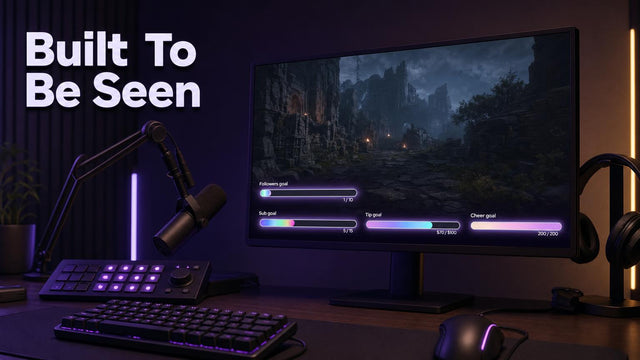
If you've been prototyping with AI stream overlays and want the built version, where the webcam frame is measured to a real source and the animated assets ship as alpha WEBM, that's what we make. Start with the stream overlay packages collection, or pick off single pieces first if you'd rather test us cheaply: the animated goal bars and Twitch chat widgets are the two things most setups are missing. Running a subathon soon? The subathon and timer widgets are built for exactly that chaos.
Got a listing you're unsure about? Drop the link in our Discord and I'll run the nine checks on it with you. More breakdowns like this go up on the TwitchElement blog.
Want this on your stream tonight?
Browse ready-made widgets built for StreamElements and OBS, or start with a free one to try the setup first.
Frequently Asked Questions
How can you tell if a stream overlay was made with AI?
Look at the small details first: melted icons, warped text inside decorative badges, hands or paws with the wrong number of fingers, and lighting that comes from two directions at once. Then check the file structure, because AI packs usually ship as flattened PNGs with no editable source file. A reverse image search on a cropped section of the artwork will often surface the same asset in three other shops.
Is it legal to sell AI-generated overlays on Etsy?
Selling them is generally allowed, but the listing has to follow Etsy's policies on intellectual property and accurate description, and many sellers skip the disclosure part. The bigger issue is ownership: US Copyright Office guidance says purely machine-generated material without meaningful human authorship isn't registrable, so an "exclusive" claim on generated art is weak. This isn't legal advice, just what I'd want to know before spending money.
Are AI-generated Twitch overlays as good as custom-designed ones?
Visually they can be close, and sometimes better than a rushed budget commission. Technically they usually aren't, because generators don't measure webcam cutouts to real source ratios, don't build layered files you can edit, and often export animation as MP4 with no alpha channel. Across the setups we've worked on, the recurring complaints are misaligned cam frames, non-layered files and text that dies on mobile, not ugly art.
Why are so many Etsy overlay listings starting to look identical?
Because a lot of them come from the same handful of generators using similar prompt patterns, so you get the same gradients, the same glow treatment and the same rounded frame geometry. On top of that, resale flips are common: one pack gets bought with commercial-use rights, re-uploaded by several shops, and sold as original. Searching a cropped detail from the listing preview usually confirms it in under two minutes.
Are free AI stream overlays safe to use on Twitch?
For your first few streams, sure. The risks are that free tiers often output low-resolution flattened files, commercial-use terms can change without notice, and generated art sometimes includes hallucinated platform logos that breach Twitch brand guidelines. Use free packs to test your layout, then move to something licensed clearly before you build a brand on it.
One question for you: If an Etsy seller generated your $15 overlay pack with Midjourney and never disclosed it, does that change whether you'd leave a 5-star review?
About the author: naskdesign has streamed on Twitch since 2020 (~8,000 hours live) and founded TwitchElement in 2019, serving 500+ streamers across Twitch, YouTube, Kick, and TikTok. Catch the streams on Twitch, the research on Google Scholar, or come hang out in the TwitchElement Discord.

Keep reading
Get new free widgets first
One email when we release a new freebie or widget. See the current freebies.
