Multistream Chat Widget for Twitch, YouTube & Kick: The OBS Setup That Actually Works
 Nargis
Published 13 min read
Nargis
Published 13 min read
Heads up: TwitchElement sells stream overlays and widgets, and some links in this post go to our shop. The advice stands on its own either way.
You went multistream, and now your chat is three chats. Twitch is popping, YouTube Live has four people asking the same question, and Kick is a black box because there's no official chat widget. You alt-tab, you miss a raid, someone drops a slur in Kick and nobody catches it for six minutes. A multistream chat widget fixes the reading problem in about 20 minutes. The moderation problem takes one more step, and almost nobody tells you what it is.
TL;DR
- Twitch and YouTube chat merge cleanly through a browser-source aggregator (StreamElements, Restream, or a free DIY page). Kick is the one that breaks tutorials because it has no public chat API you can just paste a channel name into.
- Fastest reliable multistream chat widget stack in 2024–2025: one aggregator browser source for Twitch + YouTube, plus a separate Kick source or a bot bridge. Two sources beat one broken source.
- A multistream chat widget displays messages. It does not give you mod buttons. Plan your ban workflow before you go live, not during the incident.
- Full setup checklist with browser-source dimensions, CSS and refresh behaviour is in the table further down. Save that part.
Why Kick Chat Breaks Every "Multistream Widget" Tutorial You've Watched
Watch ten multistream chat widget tutorials. Nine of them say "and for Kick, just add your Kick channel" and then cut to the outro. That's the whole coverage. Thirty seconds, no fix.
Here's the actual reason. Twitch exposes chat over IRC, which has been publicly documented for years in the Twitch Developer chat documentation. YouTube Live chat is reachable through the YouTube Data API and, more practically, through the popup chat URL that every widget quietly scrapes. Kick launched without an equivalent public, documented chat API. Third-party tools reverse-engineered their websocket to read messages, and Kick has periodically changed protection on those endpoints. So the widget that worked in March silently shows an empty box in June.
I've been running Twitch plus Kick plus YouTube Live off one OBS scene collection since 2020, roughly 8,000 hours in, and Kick is the only source I've ever had to re-fix more than twice. Across TwitchElement clients, we've built multistream chat widget setups for 500+ streamers since 2019, and the Kick connection is the single most common "it stopped working" support ticket. Not a skill issue. A platform issue.
Real talk: Every Kick chat overlay method available right now is an unofficial workaround, not an endorsed Kick integration. Check Kick's creator help centre before you build a business-critical workflow on it. If Kick changes their websocket auth tomorrow, your overlay goes blank and there is no support ticket that will fix it for you.
What this means practically: don't architect your multistream chat widget so Kick sits inside the same browser source as Twitch and YouTube. If it's bundled and Kick dies, some aggregators throw an error state that blanks the whole widget. Keep Kick separable. I learned that the hard way during a 9-hour charity stream where the entire chat box went white for 40 minutes and I didn't notice because I was looking at my Twitch dashboard on the second monitor.
The Browser Source Trick That Actually Combines Twitch + YouTube + Kick Chat (No Restream Needed)
You do not need a paid plugin to combine your Twitch and YouTube chats. A working multistream chat widget is one hosted chat aggregator page and a browser source pointed at it. That's the whole architecture. Everything else is styling.

How to combine Twitch and YouTube chat in OBS
- Pick your aggregator. Free options that read multiple platforms include sheepChat and several open-source community chat pages. Paid/bundled options: StreamElements, Restream, Streamlabs, OWN3D. All of them generate one URL.
- Generate the URL with all channels attached. Most aggregators build it as query parameters, one per platform. Paste your Twitch username, your YouTube channel ID or live video ID, and your Kick slug. Keep that multistream chat widget URL in a text file. You will need it again after every OBS reinstall.
- In OBS, add Source → Browser. Name it something readable. Chat_Combined beats Browser Source 4 at 2am.
- Set width 420, height 900 for a vertical sidebar chat. Do not set it to 1920x1080 and shrink it in the canvas. That renders a full HD page and downscales it, which costs you CPU for nothing. Render at the size you'll display.
- Uncheck "Shutdown source when not visible." Leave "Refresh browser when scene becomes active" unchecked too, unless you like your chat wiping itself every scene transition.
- Add your CSS in the Custom CSS box (snippet in the table below), hit OK, and send a test message from your phone on each platform.
The step people skip: test your multistream chat widget with your phone on mobile data, logged out. Your own messages from the same browser session can render from cache and fool you into thinking the connection works when it doesn't.
For Kick specifically, add a second browser source. Either your aggregator's Kick-only URL, or a bot bridge. If you already run Streamer.bot, you can pull Kick events in and re-emit them into your combined view, which is the most resilient setup I've found because the bridge sits between Kick and your overlay. When Kick changes something, you update one bot config instead of hunting for a new widget.
Nightbot and BTTV don't bridge platforms, but keep them in mind for one reason: if your multistream chat widget renders BTTV and 7TV emotes as text instead of images, your Twitch regulars will absolutely tell you the overlay looks broken. Check emote support before you commit to an aggregator.
StreamElements vs Restream vs Free DIY: Which Multistream Chat Widget Won't Lag Your Stream
Real numbers from my own machine, tested on OBS Studio 30.x on Windows 11 in late 2024. Every multistream chat widget option below runs as a browser source, so the CPU cost is real. Your mileage varies with CPU, but the ranking holds. No affiliate relationship with any of these companies, nothing here is a referral link, and I pay for the same tools you do.
| Option | Platforms handled | CPU cost (browser source) | Main weakness | Who it's for |
| Free DIY aggregator (sheepChat, open-source pages) | Twitch + YouTube, Kick varies | Lowest. Plain HTML, no heavy JS | Breaks silently, no support, styling is on you | Anyone under ~200 CCV who can read CSS |
| StreamElements chat widget | Twitch + YouTube natively, Kick unofficial | Medium. Full widget framework loads | Heavier page, Kick not first-class | Streamers already on the SE overlay stack |
| Restream Chat | Broadest official platform list | Medium-high if you run the desktop app too | Paid tiers for the good stuff, overlay styling is limited | Multistreamers who also route video through Restream |
| Streamlabs / OWN3D | Twitch + YouTube focused | Medium-high | Ecosystem lock-in, Kick support thin | People who want it themed in 3 clicks |
| Bot bridge (Streamer.bot + custom overlay) | All three, plus TikTok with effort | Lowest on OBS, moves load to the bot | Steepest learning curve, a weekend project | Technical streamers who hate re-fixing things |
The duplicate-message and delay-mismatch problem nobody warns you about
When a multistream chat widget pulls three APIs at once, you get two classic bugs. Duplicates happen when the same account is linked on two platforms, or when the widget reconnects and replays buffered messages. Delay mismatch happens because Twitch IRC is near-instant, YouTube Live chat polls on an interval, and Kick's websocket sits somewhere in between. So a viewer answers a question on Twitch, and the YouTube version of that question lands four seconds later, and on stream it looks like you ignored someone.
Three fixes that actually work: turn on message deduplication if your aggregator offers it; cap displayed messages to 20–30 lines so reconnect floods scroll off fast; and if delay mismatch is wrecking your flow, accept it and read the platform badge instead of pretending the timeline is unified. It never will be. Four seconds of skew is normal.
Real talk: Above roughly 500 concurrent viewers across platforms, a single multistream chat widget stops being useful for reading and becomes decoration. The scroll speed outpaces human reading. At that point you want the combined widget on-screen for the audience, and a separate filtered view (mods only, subs only, or keyword-highlighted) on your own monitor.
Moderating Three Chats at Once Without Losing Your Mind (Or Missing a Ban)
This is the gap. A multistream chat widget shows you messages. It does not ship mod controls. You cannot timeout a Kick user by clicking their name in a StreamElements overlay. Every tutorial glosses over this and it's the part that gets channels in trouble.
What we've seen across 500+ setups: streamers build a beautiful combined overlay, feel covered, and then discover during their first raid-gone-wrong that the multistream chat widget is read-only. Here's the workflow that actually holds up.
- One mod per platform, minimum, above 100 CCV. Not one mod for all three. Mod permissions don't transfer across platforms and neither does context.
- Mod comms in a single Discord voice or text channel. Your Kick mod needs to tell your Twitch mod that a harasser just hopped platforms. That handoff happens in Discord, never in chat.
- Shared banlist document. A pinned doc with username, platform, date, reason. Sounds primitive. It's the only thing that's worked for me across four years, because ban sync tools don't cover Kick reliably.
- Automod on every platform separately. Twitch AutoMod at level 3 or higher, YouTube's held-for-review filters, Kick's word blocklist. Configure all three before you ever run a combined overlay, because the overlay will happily display what none of them caught.
- Keep the native chat window open on your second monitor. Your combined view is for reading. Your native Twitch and YouTube Studio windows are for acting. Don't fight this.
If you run a bot bridge, you get one genuine upgrade: you can wire a command so typing !to username in your own Twitch chat triggers a timeout on the matching Kick account, assuming the bot has Kick mod rights. That's the closest thing to unified moderation that currently exists, and it's still a manual mapping.
Mobile Dark Mode Overlay Settings Nobody Tells You to Change
Most viewers watching your VOD or a clip are on a phone, at night, in a dark room, with the video at 40% screen height. Your multistream chat widget was styled at 100% zoom on a 27-inch monitor. That mismatch is why your super sleek overlay looks like blurry grey soup to half your audience.

Numbers I've landed on after testing clips on an actual phone, not a browser resize:
- Font size 18–22px minimum at 1080p canvas. 14px is unreadable on mobile. I know it looks cramped in the preview. Bump it.
- Text shadow, not background box. text-shadow: 0 0 4px #000, 0 0 8px #000; keeps contrast over any gameplay without a heavy black rectangle eating your frame.
- Background transparency max 35% opacity. Anything darker and you lose the game behind it. Anything lighter and white usernames disappear on snow maps.
- Platform badges at 20px and left-aligned. This is the setting that matters most in a multistream chat widget. If viewers can't instantly tell a message came from Kick versus Twitch, the combined overlay actively confuses them.
- Cap username colour luminance. Twitch lets users pick dark colours that vanish on dark gameplay. A CSS filter forcing minimum brightness fixes it.
Per the OBS browser source knowledge base, custom CSS is injected into the page, so you can override almost anything the aggregator ships. Start with body { background: rgba(0,0,0,0.3); font-size: 20px; } and go from there.
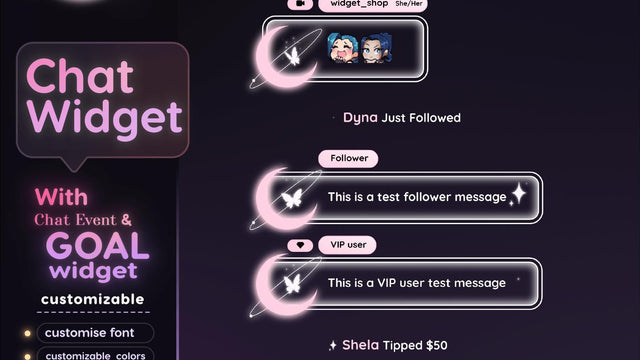
If you'd rather not hand-tune CSS at 1am, our multistream chat widgets ship with these contrast values baked in, and the single-platform Twitch chat widgets use the same typography scale so a combined overlay matches the rest of your scene.
The Multistream Chat Widget Setup Checklist (Save This One)
This multistream chat widget checklist was tested on OBS Studio 30.x, Windows 11, December 2024. Browser source behaviour changes between OBS major versions, so re-verify after any big update.
| Setting | Twitch | YouTube Live | Kick |
| Source type | Browser (shared aggregator) | Browser (same aggregator) | Browser (separate source) |
| Identifier needed | Channel name | Channel ID or live video ID | Channel slug |
| Width x Height | 420 x 900 | 420 x 900 (same source) | 420 x 300 (stacked below) |
| Shutdown when not visible | Off | Off | Off |
| Refresh on scene active | Off | Off | On (helps reconnect) |
| Custom CSS baseline | body{background:rgba(0,0,0,0.3);font-size:20px;text-shadow:0 0 4px #000,0 0 8px #000;} .message{margin-bottom:6px;} | ||
| Typical delay | <1s | 2-5s (polling) | 1-3s (websocket) |
| Message cap | 25 lines | 25 lines | 15 lines |
| Moderation workaround | Native chat window or mod view | YouTube Studio live control room | Native Kick tab + assigned Kick mod |
| Failure mode to watch | Emote images not loading | Chat stops after stream key reconnect | Blank box after platform update |
Pre-stream multistream chat widget check, every time, 60 seconds:
- Send one test message from your phone on each of the three platforms
- Confirm all three appear in the combined view with correct platform badges
- Confirm your mod for each platform is actually online
- Right-click the browser source → Refresh if any platform is missing, before you go live rather than after
Ship It This Week
Multistreaming is stable, not a trend. Twitch exclusivity loosened, Kick keeps paying people to show up, and YouTube Live is where your clips go to live forever. Running three platforms is normal now, and a multistream chat widget is the difference between arranging chats from all platforms side-by-side and pretending the other two don't exist.
Build the free DIY multistream chat widget first. Seriously. Spend an evening with an open-source aggregator page, learn which browser source settings matter, and find out whether you actually read the combined feed or whether you keep defaulting to the Twitch tab. If you do use it and you want it to stop looking like a default text box, grab a styled one from the multistream chat widget collection. Contrast and badge sizing are already tuned, and it matches the stream overlay packages if you want the whole scene consistent.
Stuck on the Kick source? Bring the error into our Discord and paste your browser source settings. I'm usually in there between streams, and you can watch the setup running live on my channel. More setup breakdowns go up on the TwitchElement blog.
Want this on your stream tonight?
Browse ready-made widgets built for StreamElements and OBS, or start with a free one to try the setup first.
Frequently Asked Questions
Can you combine Twitch and YouTube chat into one overlay?
Yes, and this is the easy half of the job. Any chat aggregator that generates a single browser source URL (StreamElements, Restream, sheepChat, or an open-source page) can read Twitch IRC and YouTube Live chat at the same time. Add that URL as one browser source in OBS at around 420x900, apply your CSS, and both platforms appear in one scrolling feed with platform badges.
Does StreamElements support a multistream chat widget?
StreamElements supports Twitch and YouTube chat natively in its chat widget, so a two-platform combined view works out of the box. Kick is not a first-class integration, so you generally need a second browser source or a bot bridge for it. Check the StreamElements widget documentation before assuming a platform is supported, since their integrations list changes.
How do you show Kick chat in OBS?
Add a separate browser source pointed at a third-party Kick chat overlay URL, or bridge Kick events through a bot like Streamer.bot into your own overlay page. Every current method is an unofficial workaround because Kick has no publicly documented chat widget API, so expect to re-fix it occasionally. Keep the Kick source separate from your Twitch and YouTube source so a Kick outage doesn't blank your whole chat box.
Is there a free multistream chat widget for Twitch, YouTube and Kick?
Yes. Free aggregator pages like sheepChat and various open-source community chat overlays handle multiple platforms without a subscription, and the free tiers of StreamElements and Restream Chat cover Twitch and YouTube. The trade-off is support and stability rather than features. Free options break silently and you fix them yourself, which is fine if you're comfortable editing a URL and some CSS.
Why does my combined chat overlay lag or duplicate messages?
Duplicates usually come from reconnect replays or from the same viewer being linked on two platforms, and lag comes from delay mismatch between the platforms themselves. Twitch IRC arrives in under a second, YouTube Live chat polls on an interval so it lands two to five seconds later, and Kick's websocket sits in between. Enable deduplication if your widget offers it, cap displayed messages to 20 to 30 lines, and accept a few seconds of skew as normal rather than chasing a perfect unified timeline.
One question for you: Does merging Twitch, YouTube and Kick chat into one widget actually improve retention, or does it just make it harder to spot the person who's two messages away from subbing?
About the author: Nargis Khatun has been coding multistream chat and goals for Twitch, YouTube, Tiktok, and Kick since 2020 (~8,000 hours live) and founded TwitchElement in 2019, serving 500+ streamers across Twitch, YouTube, Kick, and TikTok. Catch the streams on Twitch, the research on Google Scholar, or come hang out in the TwitchElement Discord.

Keep reading
Get new free widgets first
One email when we release a new freebie or widget. See the current freebies.
