Stream Overlay Licensing Explained: Personal vs Commercial vs Exclusive Use
 Nargis
Published 13 min read
Nargis
Published 13 min read

Heads up: TwitchElement sells stream overlays and widgets, and some links in this post go to our shop. The advice stands on its own either way.
You bought a $25 pack, dropped the browser sources into OBS Studio, hit Affiliate four months later, and now you're squinting at the receipt wondering if it still covers you. It probably does. But "probably" is carrying a lot of weight there. We've read the fine print across 500+ TwitchElement client setups since 2019, and the same stream overlay license confusion lands in our inbox every single week.
TL;DR
- Personal usually means one channel, one human, no reselling. Most personal tiers still allow monetized streaming, but only if the terms say so in words.
- Commercial is the tier you need for orgs, agencies, client work, brand campaigns, and anything you're delivering to someone else.
- Exclusive buys scarcity, not copyright. It rarely covers the fonts, loops, and sound effects baked inside the pack.
- There is no legal definition of "commercial use" in this market. Your stream overlay license is only the sentence the seller wrote, and whether you read it.
The Difference Between Personal and Commercial Overlay License, Stated Plainly
Three words do all the work in this industry: personal, commercial, exclusive. None of them are defined by statute for stream graphics. Any stream overlay license you buy is defined instead by the seller's overlay terms of use, which is a contract you accept at checkout whether you opened it or not.
Here's how the tiers behave in practice, across every reputable shop we've compared:
- Personal / standard: you, one brand identity, your own channels. No resale, no redistribution, no handing the PSDs to a friend, no putting it in a bundle. Usually includes monetized streaming. Sometimes doesn't. That gap is where 90% of the arguments start.
- Commercial / extended: you can use the asset inside work that generates revenue for someone other than you. Editing for clients, building a package for an esports org, running a sponsored segment for a brand, reselling a finished end product that includes the asset.
- Exclusive: the seller pulls the design from sale and grants it to a single buyer. You're buying the absence of other buyers.
Moving a stream overlay license from personal to commercial use overlay terms is not a status upgrade. It's a scope change. You're not paying for a better file; you're paying for permission to point that file at more revenue streams and more accounts.
Real talk: Editing someone's overlay by 30% does not make it yours. That number came from nowhere, it protects no one, and we've watched three separate streamers learn that the hard way after a reskin got spotted in a Discord.
What "Commercial Use" Actually Covers Once You Hit Affiliate or Partner
The single most common pre-sale question we get, by a wide margin: "I just got Affiliate. Do I need to rebuy?"
Almost always no. Affiliate means you're earning Bits and subs, which technically makes your channel monetized, but nearly every serious shop writes their personal tier to include your own monetized channel. A personal stream overlay license from OWN3D, Nerd or Die, or our own shop all sit in that camp. The thing to look for is a clause that names monetization directly, something like "including monetized broadcasts on channels you own." If the terms only say "personal, non-commercial use" and stop there, you're relying on the seller's goodwill instead of the document.
Where a personal stream overlay license genuinely stops covering you:
- You're a freelance editor or designer installing that pack on a client's channel.
- The channel belongs to an org, agency, studio, or LLC with multiple talent on the roster.
- A sponsor is paying for a branded overlay treatment built on top of the asset.
- You're bundling it into something you sell, even at $3 on Gumroad.
- A shared team account runs it across several streamers' schedules.
Twitch's own Terms of Service put the responsibility for broadcast content squarely on you: you represent that you have the rights to everything you put on screen. Twitch is not going to read your Etsy receipt for you. Neither will YouTube. Your stream overlay license is the only document backing up that promise.
Partner status changes nothing about your stream overlay license, by the way. Nobody tiers pricing by viewer count. If a seller tells you your license expired because you got bigger, ask them to point at the clause.
Exclusive Overlay Licenses: What You're Really Paying For (and What It Doesn't Protect)
Exclusive is the tier people most often overpay for and least often understand. When a shop sells exclusive overlay rights, an exclusive stream overlay license typically buys four things: the design comes off the store, no new buyers get it, you often receive source files, and sometimes the design gets locked to your brand name.
Exclusive vs Non-Exclusive Overlay Rights Explained
Non-exclusive means the seller can keep selling that same pack to 4,000 other streamers forever. That's the default for every off-the-shelf stream overlay license, including ours. Exclusive means they stop. What exclusive almost never means is transfer of copyright. Unless the contract contains an explicit assignment of rights, the designer still owns the artwork and you hold a very good lease.
What exclusivity usually fails to protect, and what you should ask about in writing before you wire anything:
- Prior buyers keep their copies. If the pack sold 300 times before you bought exclusivity, those 300 licenses stay alive. Exclusivity is forward-looking.
- Embedded third-party assets stay non-exclusive. The fonts, the looping video textures, the whoosh on the transition, the particle stock from Envato's license tiers or a Storyblocks subscription. Your overlay is exclusive. The sound effect inside it is on ten thousand other channels.
- Similar-looking work is still allowed. A designer with a signature style will produce something adjacent next month. Style isn't ownable.
- Delisting date and proof. Get the removal date in the invoice.
Real talk: An exclusive overlay license does not make the fonts, stock loops, or sound effects inside it exclusive. If uniqueness is the whole reason you're paying a 10x premium, ask which components are original and which are licensed in. Good sellers answer that in one message.
What Does Exclusive Use Overlay Mean for Resale?
It means you still can't resell it. Exclusive use and resale rights are separate grants. Buying exclusivity on a goal widget doesn't let you flip it as a template, and that surprises people constantly.
VTuber Asset Licenses Are Not Overlay Licenses, and Here's Where They Diverge
This is the gap that costs VTubers the most money, because the two license types get lumped together in every listicle on page one.
A stream overlay license governs graphics. A vtuber asset license governs a character you're about to build an entire identity, merch line, and parasocial relationship on top of. The stakes are not comparable.
VTuber Model Commercial License vs Overlay License
| Question | Overlay pack | Live2D / PNGTuber model |
| Who owns the design? | Designer, licensed to you | Artist owns artwork; character IP is often negotiated separately |
| Merch rights | Rarely relevant | Critical, and frequently excluded by default |
| Derivative work | Recolors sometimes allowed | Outfit variants, chibi versions, and emote spinoffs each need permission |
| Third-party tooling | OBS Studio, free | Live2D Cubism editor has its own commercial terms for larger entities |
| Resale / adoption | Almost never permitted | Pre-made "adopts" often transfer more rights than commissions do |
If you commissioned a rigger separately from your artist, you now have two licenses stacked on one model. Ask both of them whether you can hire a third person to re-rig later. We've seen that block a model upgrade twice.
PNGTuber models are cheaper and not simpler. A $40 pre-made PNGTuber usually ships with "one buyer, no resale, credit required," and "credit required" is a license condition, not a courtesy. Drop the credit from your panels and you're technically out of compliance.
The Etsy License Trap: Why Cheap Listings Rarely Cover Multi-Platform Streaming
Etsy doesn't issue a stream overlay license of its own for digital downloads. Every seller writes their own terms, usually pasted into the listing description or a bundled PDF, and Etsy's role stops at its own platform policies. Compare that with Envato, which publishes versioned Regular and Extended license text you can actually cite in a dispute, or with established shops like Nerd or Die and OWN3D that keep a standing license page separate from the product.
The pattern we see repeatedly when clients forward us an Etsy purchase:
| What to check | Typical Etsy digital listing | Established overlay shop |
| License location | Inside listing text, editable anytime | Dedicated, dated license page |
| Monetized streaming | Often silent, or boilerplate "personal use only" | Named explicitly |
| Multi-platform / simulcast | Rarely mentioned | Usually covered as "channels you own" |
| Chain of rights on embedded stock | Unverifiable | Documented or original |
| Recourse if the listing vanishes | None after delisting | Support email and reissued downloads |
The nastier version of this: a seller who never held the rights they sold you. When their listing gets DMCA'd and disappears, your "personal use" receipt points at nothing. You're holding assets with no traceable chain of rights, on stream, under your face.
Not every Etsy seller is sketchy. Plenty are genuine designers with tight terms. But the marketplace gives you no structural guarantee behind the stream overlay license you just paid for, and price is not the signal you think it is.
Your License Probably Says "Twitch." You Stream on Four Platforms.
Nobody covers this and it breaks more licenses than resale does. A stream overlay license for sale written in 2021 often grants use "on your Twitch channel." Then you added a Kick mirror, a YouTube simulcast, TikTok clips, and monetized VOD reuploads.
Three ways a stream overlay license quietly stops covering you:
- Single-platform grants. Look for "any platform you personally broadcast on." If it names one service, ask before you simulcast.
- Monetized VOD reuploads. A YouTube upload with mid-rolls is a separate distribution channel with separate music and SFX exposure. The overlay graphics are usually fine. The audio in your stream transitions is the actual landmine.
- Channel migration. Moving your brand from Twitch to YouTube is almost always fine under a personal tier. Handing the same assets to a co-streamer or a second channel you don't own is not.
If you run chat side by side across services, the same wording question applies to your multistream chat widgets, not just the main frame. One-time purchase with no subscription is the cleaner model here, and it's why we sell that way. Subscription stock libraries tie usage to account status, and the clause covering what happens to your stream overlay license after you cancel is the one you need to read twice.
What Happens If You Break License Terms: Takedowns, Delistings, and Hardban Risk
Enforcement reality, from the seller's side of the desk. Breaking a stream overlay license rarely ends in court, because nobody sues an indie streamer over a $30 overlay. Lawyers cost more than the claim. What actually happens, roughly in order of frequency:
- A DM or email. Nine times out of ten it's an honest mistake and it ends with an upgrade invoice. We've never escalated past this step.
- DMCA against your VODs or clips. Cheap, fast, and platform-enforced. Repeat strikes affect standing on Twitch and YouTube, not just the one video.
- Marketplace delisting. Reselling or reskinning on Etsy, Gumroad, or Ko-fi gets the listing pulled on a rights complaint, and repeat infringement is how shop-level suspensions and hardbans happen on those platforms.
- Payment reversal. Some shops revoke the download and blacklist the email.
- Community fallout. The one that actually hurts. Designer Discords are small, they screenshot everything, and a stolen-asset callout follows a brand for years.
What the Stream Overlay License Reddit Threads Usually Get Wrong
Three myths that survive every time this comes up in r/Twitch:
- "If I credit the designer, I'm covered." Credit is a condition, never a substitute for a grant.
- "Free for personal use means free forever." Free tiers get revised, and the version you downloaded is the version you agreed to. Save the terms file with the assets.
- "They can't prove it's theirs." Layered source files, timestamps, and store history make that argument collapse fast.
Weigh it as opportunity cost. An upgrade is usually $20 to $60. A forced rebrand three weeks before a subathon, with new panels, new emotes and sub badges, and a stale VOD library, costs you a month you don't get back.
The Stream Overlay License Decision Matrix
Save this. It's the chart we wish existed when a client asks whether their stream overlay license stretches to cover a new setup. Read it as the general market pattern, then verify against the specific terms of use you bought.
| Use case | Personal | Commercial | Exclusive |
| One Twitch channel, unmonetized | Yes | Yes | Yes |
| Same channel after Affiliate or Partner | Yes, if terms name monetization | Yes | Yes |
| Multi-platform simulcast (Twitch, YouTube, Kick, TikTok) | Check platform wording | Yes | Yes |
| Monetized VOD and Shorts reuploads | Yes for graphics, check audio | Yes | Yes |
| Team, org, or agency account with multiple talent | No, upgrade needed | Yes | Yes |
| Installing on a paying client's channel | No, upgrade needed | Yes | Yes |
| Sponsored or brand-funded overlay build | No, upgrade needed | Yes | Yes |
| Sharing files with a co-streamer or second owner | No | Usually no | Depends on contract |
| Resale, reskin, or bundling as a template | No | No | Only with written resale or assignment rights |
| Guaranteed nobody else is running your look | No | No | Yes, going forward only |
Copy-Paste Pre-Purchase Questions
Send this to any seller before a stream overlay license purchase over about $50. A shop that answers in one message is a shop worth buying from.
- Does the personal tier cover monetized broadcasts on channels I own?
- Which platforms are named, and does it cover simulcasting?
- Are monetized VOD reuploads included?
- Which components are original, and which are licensed stock or commercial fonts?
- If I go exclusive, what's the delisting date, and how many prior buyers exist?
- Do source files transfer, and can I hire another designer to modify them?
- Can I use this on an org or team account later, and what's the upgrade cost?
- Is there a standing license page I can archive, separate from the listing text?
- One-time purchase, or does usage depend on an active subscription?
- If I rebrand and migrate platforms, does my license follow me?
Buy Once, Read the Terms, Stream Without Looking Over Your Shoulder
Full disclosure, because it matters here: we sell overlays, and TwitchElement's own tiered stream overlay license is one of the examples in this piece. We built our tiers the way we did after fielding this exact question from hundreds of streamers since 2019. This is licensing-terms guidance drawn from reviewing a lot of real contracts, not legal advice. If real money or a contested exclusive is on the table, pay a lawyer for an hour.
If you want assets where the tier is stated in plain language and the purchase is one-time with no subscription, start with the stream overlay packages collection, then fill gaps with the Twitch goal widgets or a subathon timer widget when your next event needs one. Licensing questions get answered fastest in our Discord, and yes, we'll read your Etsy fine print for you.
Want this on your stream tonight?
Browse ready-made widgets built for StreamElements and OBS, or start with a free one to try the setup first.
Frequently Asked Questions
Are stream overlays free?
Plenty are, and some free packs are genuinely good. The catch is that free almost always means a personal-use grant with conditions attached, such as required credit or no monetized use. Save the license text alongside the files, because free terms get revised and you're bound by the version you agreed to at download.
How to make a stream overlay for free?
You can build one from free design tools and free stock, but the licensing homework doesn't disappear; it moves onto you. Every font, loop, and sound effect you pull in carries its own terms, and commercial fonts are the most commonly missed piece. If you're going to monetize the channel, check each component's commercial use clause before you export.
What is a streaming overlay?
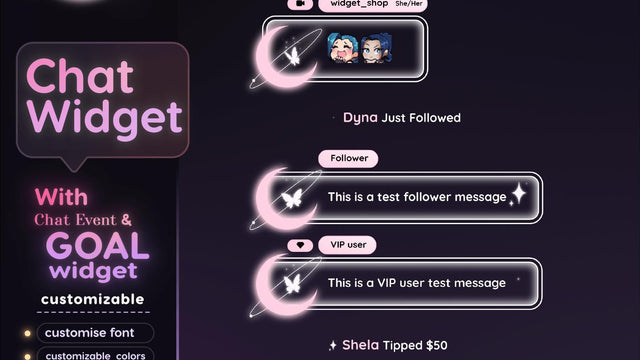
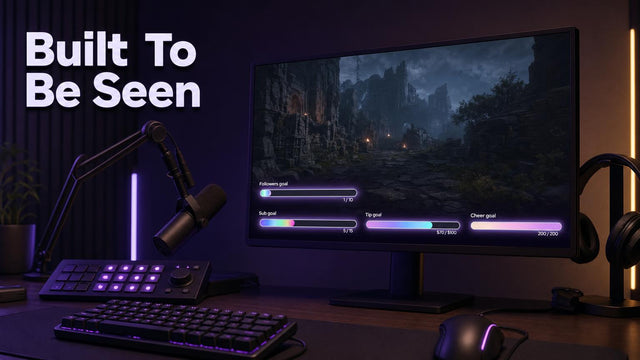
It's the layered graphics package that sits on top of your gameplay or camera feed in OBS Studio, including frames, alerts, chat boxes, goal bars, and transitions. Technically it's a set of image, video, and browser-source files rather than one asset. Legally it's a bundle of separately licensed components, which is exactly why the license tier you buy matters.
Can I resell a stream overlay I bought?
Almost never, and that includes reskinned or recolored versions. Personal and commercial tiers both typically prohibit redistribution and resale as a template. Resale rights require an explicit grant or a copyright assignment in writing, which is rare even in exclusive deals.
How many viewers do you need on Twitch to make $1000 a month?
There's no clean number, because sub rate, Bits, ads, and sponsorships vary wildly by community. Streamers in the 100 to 300 average concurrent range hit that figure often, and some do it far smaller with a highly engaged audience. Relevant to licensing: once you're earning at that level, a team or agency relationship becomes likely, and that's usually the point where a personal tier stops covering you.
One question for you: If you paid extra for an 'exclusive' overlay and later spotted the same base template resold under a different name after a light reskin, is that a license violation, or is that just how this industry actually operates?
About the author: naskdesign has streamed on Twitch since 2020 (~8,000 hours live) and founded TwitchElement in 2019, serving 500+ streamers across Twitch, YouTube, Kick, and TikTok. Catch the streams on Twitch, the research on Google Scholar, or come hang out in the TwitchElement Discord.

Keep reading
Get new free widgets first
One email when we release a new freebie or widget. See the current freebies.
