Free vs Paid Stream Overlays: The Affiliate Breakeven Point After 8,000 Hours
 Nargis
Published Updated 11 min read
Nargis
Published Updated 11 min read

Heads up: TwitchElement sells stream overlays and widgets, and some links in this post go to our shop. The advice stands on its own either way.
Your overlay is not why you're stuck at nine average viewers. I know that because I burned an entire weekend rebuilding mine in Canva around my 1,200th hour streamed, went live Monday, and got the same nine people. So let's do free vs paid stream overlays properly, with Affiliate numbers attached: sub splits, Bits, payout thresholds, and the hours you never get back.
TL;DR
- Under roughly 10–15 average viewers, free twitch overlays are genuinely fine. Nobody churned because your webcam border was a stock PNG.
- A $25 one-time pack costs a Twitch Affiliate about 10 tier-1 subs, once. A $15/month subscription costs you 6 subs every single month, forever.
- The real cost of "free" isn't money, it's the 12–20 hours you'll spend exporting, re-exporting and cache-refreshing browser sources in OBS.
- My own breakeven landed at about 22 average viewers and 41 active subs, a $34 pack paid itself back in 11 days. Below that, it wouldn't have.
- Treat free vs paid stream overlays as a timing question. The same $30 is a waste at 6 viewers and a bargain at 25.
The Real Affiliate Math: What a Paid Overlay Actually Costs You Per Sub Goal
Nobody prices overlays in dollars in their head. We price them in subs. So price them in subs on paper too.
As a Twitch Affiliate, a standard tier-1 sub at $4.99 splits 50/50, so you keep about $2.50. Bits are simpler: 1 Bit cheered equals 1 cent to you, so 100 Bits is a dollar. That gives you a clean conversion table for any overlay purchase, and it's the only way free vs paid stream overlays gets an answer instead of an opinion.
| Overlay cost | Tier-1 subs to cover it | Bits to cover it | Roughly (AED) |
| $0 DIY | 0 subs | 0 Bits | 0 |
| $25 one-time pack | 10 subs (once) | 2,500 Bits | ~92 AED |
| $40 one-time pack | 16 subs (once) | 4,000 Bits | ~147 AED |
| $15/month tool | 6 subs every month | 1,500 Bits/month | ~55 AED/mo |
Ten subs sounds like a lot when you have fourteen. It stops sounding like a lot when you realise it's ten subs one time against six subs a month for the rest of your channel's life. That single framing changed how I bought assets, and it's the part every "best overlays" listicle skips because listicles get paid on clicks, not on your payout hitting the $50 minimum.
Real talk: I own an overlay shop. TwitchElement is mine, which means I have an obvious reason to tell you to buy things. So I'm going to spend most of this article telling you when not to, and you can judge the math yourself.
Where Free Overlays Quietly Cap Your Stream (And Where They Genuinely Don't)
Free does not mean bad. Some of the cleanest channels I've worked with run entirely on free and premium designs mixed together, plus a plain OBS Studio scene collection and no paid plugins at all. You can absolutely make your stream look pro for free.
Most free vs paid stream overlays arguments get fought over looks. Looks are not where free actually caps you. Here's where free genuinely doesn't cap you at all:
- Your first 300 hours. Your chat is three friends and a bot. Design isn't the variable.
- Just-chatting and IRL formats. A full-screen frame competes with your face. Less is better.
- Single-platform, single-game channels. One scene, one alert, done.
Where it starts costing you
Free assets cap you in three specific, measurable places. First, clip legibility. When someone clips your stream and it gets reposted, a generic template gives the viewer no way to remember who you were. Second, goal readability on phones, because most of my raid-in traffic watches vertical on mobile, and a 14px default sub bar is invisible there. Third, multi-platform consistency. The moment you simulcast to Kick or YouTube, mismatched free assets make you look like three different channels.
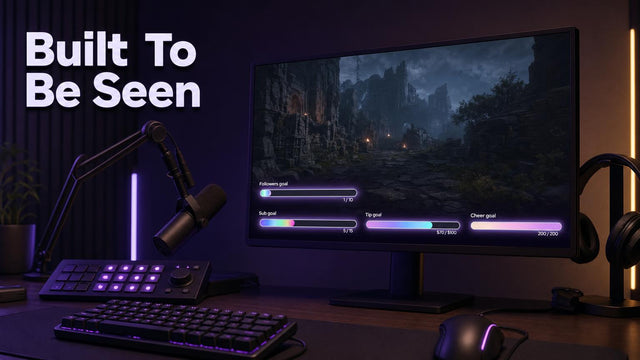
That third one is why I eventually moved to proper Twitch goal widgets instead of the default Streamlabs bar. Not for vibes. Because my sub goal was unreadable in the clips people were actually sharing.
The Hidden Time-Tax of 'Free': Hours I Burned Customizing Overlays Instead of Streaming
This is the cost nobody puts in the comparison, and it's the biggest one. Every free vs paid stream overlays breakdown I've read prices the asset and ignores the hours.
My Canva weekend went like this. Four hours picking a font. Three hours exporting PNGs at the wrong resolution and re-doing them. Two hours discovering that OBS caches browser sources, so my "updated" alert box kept showing the old version until I right-clicked the source and hit Refresh cache of current page. Another three hours nudging a webcam frame two pixels left, then two pixels right, then back. Then Sunday night, two hours fixing the same scene on my laptop because I never exported the scene collection.
Fourteen hours. Streaming from the Gulf means my prime window for a North American audience is roughly 8pm–1am GST, so those fourteen hours were three entire streams I didn't do. At the time I averaged six viewers. Three missed streams is maybe 18 viewer-hours of watch time, a couple of follows, and the momentum you lose when your schedule wobbles.
Fourteen hours of my time against a $25 pack means I valued my labour at about $1.79 an hour. I have never once looked at a custom stream overlay purchase the same way since.
Real talk: "Free" is the most expensive option available to a streamer who is already short on hours. It only stays free if your time is genuinely worth nothing, and if you're grinding toward Affiliate, it isn't.
One-Time Purchase vs Monthly Subscription: The Overlay Math Nobody Runs
There are three pricing models in this market and they are not close to equivalent over twelve months. Run free vs paid stream overlays across a full year, not across one checkout page.
| Model | Examples | 12-month cost | What you keep if you stop paying |
| DIY / free assets | Canva, free template sites, Streamlabs free themes | $0 + 12–20 hrs | Everything, but you built it |
| One-time pack | Nerd or Die, kudos.tv, my own store | $25–$60 once | Everything, forever |
| Subscription | OWN3D Pro, Streamlabs Ultra tier | $120–$240 | Usually nothing |
Subscriptions earn their money if you actually use the whole toolkit: alert libraries, one-click theme swapping, hosted widgets, and access to 8000+ overlays you can swap in one click. Variety-streamers who change games weekly get real value there.
But run the numbers on a small Affiliate. At 40 active subs you're clearing maybe $100/month from subs before Bits and ads. A $15/month tool is 15% of your sub revenue, permanently, and it's the first thing that breaks if you take two months off for burnout or exams. A one-time pack is different: you pay once, no monthly plan and nothing to cancel later, and it still works during the month you don't stream at all.
My honest position after buying both: subscribe if you rebrand more than three times a year. Otherwise buy once. That's the whole overlay roi question in two sentences.
When Upgrading Actually Pays: My Free vs Paid Stream Overlays Breakeven Point at a Specific Viewer Count
Here are my actual numbers, because vague advice is worthless.
At 1,200 hours streamed I averaged 6 concurrent viewers with 3 subs. I upgraded anyway. Nothing happened. No retention bump, no chat lift, no sub spike. That $30 was spent on feeling professional, which is a real feeling but not a return.
At roughly 2,800 hours I averaged 22 viewers with 41 active subs and about $60–90 a month in Bits and tips. I bought a $34 pack, rebuilt my scenes in one evening instead of one weekend, and the thing that actually moved was chat engagement on goals. My sub goal went from a thin default bar to a jar-style widget people could read at a glance, and messages referencing the goal roughly doubled in the first two weeks. Three subs and about 1,900 Bits later, the pack had paid for itself in 11 days.
That's the pattern I've seen across the 500+ streamers I've built for since 2019: paid vs free overlay for affiliate streamers flips somewhere around 15–25 average viewers, and it flips on interactive elements first. Goal bars, subathon timers, chat boxes. Static frames and borders almost never pay back. Anyone selling you a full animated package at 4 average viewers is selling you a feeling.
The Overlay Upgrade Breakeven Checklist
Save this. Find your row, and that's your free vs paid stream overlays answer today. Then check the gate below it.
| Avg viewers | Active subs | Monthly Bits + tips | Right tier | Payback time |
| 0–8 | 0–5 | Under $15 | $0 DIY, stay free | Never. Spend the money on nothing, spend the time on streaming |
| 8–15 | 5–15 | $15–40 | $0 DIY, or one cheap widget | 2–4 months. Marginal. Only if your time is tight |
| 15–30 | 15–45 | $40–120 | $15–40 one-time pack | 10–30 days |
| 30–80 | 45–150 | $120–400 | One-time pack + interactive widgets | Under 2 weeks |
| 80+ / rebrands often | 150+ | $400+ | Subscription tool can now justify itself | Immediate, if you use the library |
Now the gate. Upgrade only if you can tick four of these six:
- You've streamed 100+ hours in the last 90 days and kept a schedule.
- You hit the Twitch payout threshold ($50) at least twice already.
- You have an active goal, sub goal, subathon, charity, that chat actually talks about.
- Your clips get shared somewhere outside your own Discord.
- You'd rather pay $25 than spend a weekend in a design tool.
- You stream to more than one platform (Twitch plus Kick, YouTube or TikTok) and the mismatch bugs you.
Three or fewer ticks? Stay free. Genuinely. I'd rather you come back in six months than buy something that sits unused in your Downloads folder.
What I'd Actually Buy First
If you tick the gate and you've got $25–40, don't buy a whole animated theme. Buy the pieces viewers interact with, in this order: a readable goal bar, a chat box that's legible in clips, then transitions, then everything else. That order is the difference between spending money and investing it.
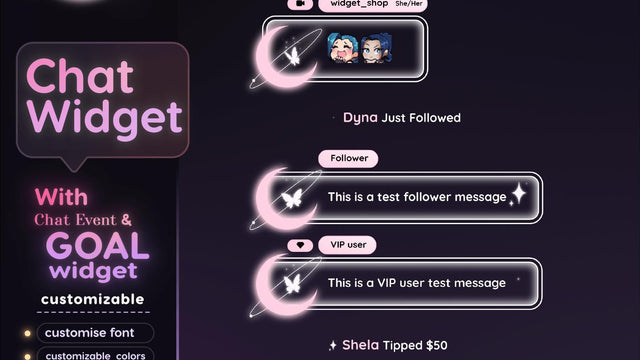
For what it's worth, my store runs on the one-time model on purpose (pay once, no subscription, nothing to cancel later) because that's the model that survived my own burnout months. You can browse the stream overlay packages if you're at the point where the math works, or start smaller with a single Twitch chat widget, a jar-style goal widget or a subathon timer widget, and see whether your chat reacts before you spend more. If the answer for you today is "stay free," that's a completely correct answer and I'm not going to pretend otherwise. In the end, free vs paid stream overlays is a timing question, not a taste one.
Either way, come tell me your numbers in the TwitchElement Discord. Average viewers, sub count, what you're running now. I'll tell you honestly whether upgrading is worth it at your size, and I've told plenty of people no. More breakdowns like this live on the blog, and you can watch me break my own overlays in real time over on my Twitch channel.
Want this on your stream tonight?
Browse ready-made widgets built for StreamElements and OBS, or start with a free one to try the setup first.
Frequently Asked Questions
What are the best free stream overlays?
The best free stream overlays are the ones you can read at a glance on a phone screen, not the flashiest ones. Streamlabs' free themes, free packs from established shops, and a simple Canva build all work fine below about 15 average viewers. If you want free animated stream overlays for OBS, look for WebM or browser-source files rather than GIFs, since GIFs lose transparency quality and eat more CPU. Check the licence before you use anything on a monetised channel.
Is a paid stream overlay worth it as an affiliate?
It's worth it once interactive elements start earning. In my case the flip happened around 22 average viewers and 41 active subs, where a $34 pack paid itself back in 11 days through goal-driven subs and Bits. Below roughly 10 average viewers, a paid overlay buys you confidence rather than revenue. Buy the goal bar and chat box first, not the full animated theme.
How many viewers on Twitch to make $1000 a month?
As a rough estimate, $1,000 a month usually means somewhere around 300–450 active tier-1 subs at the standard 50/50 Affiliate split, or a mix of fewer subs plus healthy Bits, tips and ad revenue. In practice that tends to sit around 80–150 average concurrent viewers, depending heavily on how generous your community is. Sub-to-viewer ratios vary wildly, so treat any viewer number as a range, not a rule.
How many viewers on Twitch to make $5000 a month?
Roughly 1,500–2,000 active tier-1 subs at the Affiliate split, which in most channels means a few hundred average concurrent viewers plus meaningful Bits, ads and sponsorship income. Most people earning that much are on Twitch Partner terms or have negotiated deals, not a straight 50/50 split. Assume the viewer figure is the smallest part of the equation and revenue mix does the heavy lifting.
How much does Twitch pay for 200 viewers?
There's no fixed rate per viewer. Twitch pays on subs, Bits and ad impressions, not headcount. A channel at 200 average viewers might see anywhere from a few hundred to a couple of thousand dollars a month depending on sub conversion and how often ads run. That's exactly why stream overlay ROI for Twitch affiliates should be measured against your sub and Bits numbers, never your viewer count alone.
One question for you: If you're still under 30 average viewers on Affiliate, is a $25 one-time overlay pack actually cheaper than the 14 hours you'll burn customizing a free one, or are we all hiding behind 'free' because the overlay was never the real bottleneck?
About the author: Nargis and her team have been coding these since 2020 and founded TwitchElement in 2019, serving 500+ streamers across Twitch, YouTube, Kick, and TikTok. Catch the streams on Twitch, the research on Google Scholar, or come hang out in the TwitchElement Discord.

Keep reading
Get new free widgets first
One email when we release a new freebie or widget. See the current freebies.
