Kick vs Twitch for Small Streamers: What Actually Breaks in Your Overlays, Alerts and Chat
 Nargis
Published 10 min read
Nargis
Published 10 min read

Heads up: TwitchElement sells stream overlays and widgets, and some links in this post go to our shop. The advice stands on its own either way.
Your sub goal is frozen at 34/50, your PNGTuber's mouth flap is finally behaving, and then someone in your Discord drops the 95/5 thing again. Now you're pricing up a Kick stream overlay instead of actually going live. I've streamed on Twitch since 2020 and built widgets for 500+ creators since 2019. Here's what genuinely breaks, and what is not worth rebuilding.
TL;DR
- A Kick stream overlay is mostly your existing Twitch overlay with different plumbing. The browser sources port cleanly. The alert triggers do not.
- Chat is the real failure point, especially if you're multistreaming. Duplicate alerts and two stacked chat boxes are the number one thing people message us about.
- Audit before you rebuild. The compatibility checklist further down takes about 10 minutes.
- Revenue split, hardban risk and discoverability should decide whether you invest in a second stack. Not FOMO.
Full disclosure up front: we sell overlay, chat and goal widgets at TwitchElement, so I have skin in this game. I'll flag where that bias could push me. Everything below comes from hands-on testing in an Australian east-coast timezone at small-channel viewer counts, which means my latency and chat-volume observations won't match a 2,000-viewer channel in NA.
Why "kick chat overlay" searches keep climbing while the rest of Kick's search interest went flat
When I pull keyword tools for client onboarding, most Kick terms have gone sideways or down over the past year. One cluster hasn't: chat. "kick chat overlay" and its variants were up roughly 60% in the window I checked, which is a directional read from third-party tools rather than gospel, so treat it as a signal, not a stat to quote.
The reason is boring and obvious once you've built both. Overlays are the easy part. A Kick stream overlay is PNGs, a webm animation or two, and a browser source. That transfers in about four minutes. Chat is a live data connection, and live data connections are where platform differences actually bite.
So people search "best kick stream overlay", find fifty install tutorials, install one, and then discover their chat widget is empty and their follow alert never fires. Nobody made a video about that part because it's not screenshot-friendly.
Real talk: If you're struggling to grow your stream, a new overlay on a new platform is not the fix. It's the most satisfying form of procrastination our industry has ever invented, and I've done it myself more than once across ~8,000 hours.
The overlay problem nobody mentions when you're multistreaming Kick and Twitch at once
Multistreaming sounds free. One encode, two platforms, double the shots on goal. Then the first raid hits and your overlay turns into a slot machine.
Here's what we see break, repeatably, across client setups:
- Duplicate alerts. Someone follows you on both platforms in the same minute and your alert queue fires twice with two different sounds stacked on top of each other.
- Two chat boxes, half the screen. Separate Twitch and Kick chat widgets means double the real estate for the same conversation volume.
- Split goal bars. Your Twitch sub goal says 34/50. Your Kick equivalent says 2/50. Neither number motivates anyone.
- Name collisions. The same viewer under two handles reads as two people, which quietly wrecks your loyalty points and your kick username overlay if you're displaying recent chatters.
Multi chat overlay for YouTube Live, Twitch and Kick: merge, don't stack
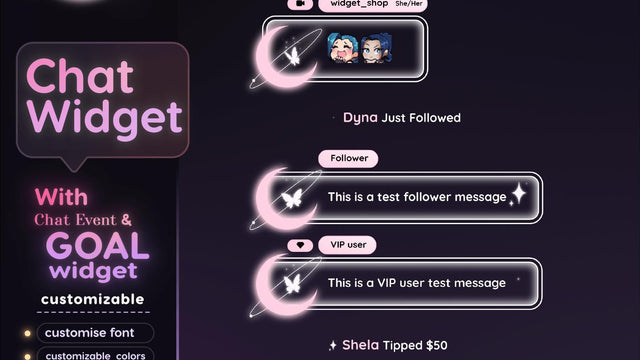
The fix is a merged chat source, not two widgets. One box, platform icons per message, one moderation view. That's exactly why we built our multistream chat widgets, and yes, that's the recommendation where my commercial bias shows most. You can absolutely get there with free tooling if you'd rather spend the hour. The point is the architecture: merge the streams, then decide what it looks like.
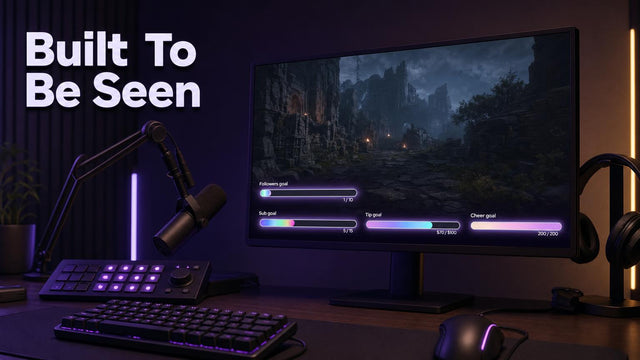
Same logic for goals. Run one combined goal widget fed by both platforms so the number on screen means something, instead of two sad bars competing.
What actually breaks when you copy-paste your Twitch alerts onto Kick
The visual layer ports. The trigger layer is where you lose a weekend.
Your alert box in OBS Studio is just a browser source pointing at StreamElements or Streamlabs. Change the account connection, keep the CSS, done. What doesn't come across cleanly is event parity. Twitch gives you subs at three tiers, gift subs, bits, cheers with amounts, raids and hype train events. Kick's event set is shaped differently, and the currency isn't bits. So every alert you built around a bit threshold needs remapping or it sits silent forever.
Before you rebuild anything, open your alert provider's Kick integration page and read the actual list of supported events. Not a tutorial. The provider's own list. That five-minute check has saved our clients more time than any overlay download.
"How to add overlays to Kick using OBS Studio" is the wrong search
That search is answered to death and the answer is: add a browser source, paste your widget URL, set the canvas to 1920x1080, done. The search you actually want is "which of my alerts have no Kick equivalent". Answer that and your Kick stream overlay stops being decoration and starts working.
Free Kick overlay marketplaces vs building your own: the real cost is your consistency, not your wallet
Search "kick stream overlay free download" and you'll find plenty. own3d has a free tier, Etsy is full of packs at $10 to $20, and there are Discord communities passing around a kick overlay template PSD that half the platform is now using.
Free is fine. Free that looks like everyone else's is the expensive option, because the whole job of an overlay is making you instantly recognisable in a clip someone reposts without your name attached.
| Route | Real cost | Best for | Where it hurts |
| Free marketplace pack | $0 plus 1-2 hours | Testing whether you'll even keep streaming on Kick | Shared look, rarely includes working alert configs |
| Etsy or own3d premium pack | $10-$60 | Easy setup, one coherent theme fast | Often Twitch-first, Kick event mapping left to you |
| Modular widgets on your existing brand | $5-$40 per piece | Already have colours and a logo you like | You need taste, or it looks assembled |
| Fully custom build | $150+ or a full weekend | Channels with an actual identity to protect | Slowest to change when you rebrand in six months |
For most small channels I'd adapt, not rebuild. Take your Twitch theme, swap the platform-specific bits, keep the fonts and colours identical on both. If you want the coherent-theme route, our stream overlay packages and subathon and timer widgets are built to run on both platforms from one asset set, which is the whole reason we structured them that way.
Is "Kick vs Twitch" even the right question for a small streamer in 2026?
The 95/5 split is the headline. Read the fine print on Kick's creator terms and the conditions around it, because the number that matters is what you'd actually earn at your current concurrents, not the best case.
Run the opportunity cost honestly. If you average 8 viewers, a better revenue split on almost no revenue is a rounding error. What you'd be spending is 10-15 hours of build time, which is roughly three weeks of consistent streaming energy for most part-timers. That's the trade.
The other half is risk. Twitch's Affiliate and Partner ladders are slow but the moderation and monetisation rules are documented in the Twitch Help Centre, and hardban precedent on either platform can vaporise a channel you've invested a year of overlay and emote work into. Which is the actual argument for building platform-agnostic assets, including your emotes and badges, so nothing you own is trapped behind one login.
Real talk: Switching platforms has never fixed burnout for anyone I've watched try it. It buys about six weeks of novelty, then the same empty chat feels worse because now it's empty on a smaller platform.
The 10-minute Kick stream overlay and alert compatibility audit
Run this before you download a single Kick stream overlay. Tick each row with duplicate, adapt or rebuild, then count how many rebuilds you're signing up for.
| Stack layer | Twitch | Kick | Your call |
| Browser-source overlays in OBS Studio | Works | Works, same URLs | Duplicate |
| Alert engine account link (StreamElements / Streamlabs) | Connected | Check provider's Kick integration list | Adapt |
| Follow alert trigger | Yes | Verify event name in dashboard | Adapt |
| Sub alert, tiered | Tier 1/2/3 | Different structure, no 1:1 map | Rebuild |
| Bits / cheer thresholds | Amount-based | No bits equivalent, remap | Rebuild |
| Sub goal bar | Auto-fed | Often manual or API-fed | Adapt to one combined bar |
| On-screen chat widget | Native | Needs Kick-aware widget | Adapt |
| Merged multistream chat | N/A alone | N/A alone | Rebuild once, use forever |
| Emotes and badges | Uploaded | Re-upload, different limits | Duplicate assets |
| Transitions and stingers | Local in OBS | Platform-agnostic | Duplicate |
Scoring it: zero to three rebuilds means adapt your current setup this week. Four or more means you're building a second brand, so be honest about whether you have the hours. Free or premium doesn't change the maths. Time does.
What I'd actually do this month
Keep one visual identity. Merge your chat into a single source. Remap only the alerts that have a real Kick trigger behind them, and delete the ones that don't instead of leaving dead widgets in your scene. Consistency across both platforms is what makes you stand out, not two half-finished looks.
If you want a second pair of eyes on your audit before you spend money, post your scene list in the TwitchElement Discord and tag me. I go through setups there most weeks, and I'll tell you when the answer is "change nothing". You can also watch me break my own overlays live on naskdesign, or read the rest of the TwitchElement blog for the multistream deep dives.
Want this on your stream tonight?
Browse ready-made widgets built for StreamElements and OBS, or start with a free one to try the setup first.
Frequently Asked Questions
What is a livestream overlay, and is a Kick stream overlay any different?
A livestream overlay is the graphics layer sitting on top of your gameplay or camera feed: webcam frames, alert boxes, chat, goal bars and labels. A Kick stream overlay uses the same files and the same browser sources as a Twitch one, so the visual layer is identical. The difference is the data behind it, because Kick's follow, sub and gifting events don't map one-to-one onto Twitch's subs, bits and hype train triggers.
How to activate a stream overlay in OBS Studio for Kick?
Add a Browser source in OBS Studio, paste your widget URL, and set the width and height to your canvas size, usually 1920 by 1080. Tick "Shutdown source when not visible" so the widget reloads cleanly between scenes. The overlay itself will show up instantly; the alerts inside it only fire once your alert provider account is linked to Kick and the specific events are enabled.
How to make a livestream overlay from scratch for Kick and Twitch?
Pick two or three colours and one font, then build everything from that: webcam border, alert card, chat box, goal bar. Figma or Photoshop is enough for statics, and you export as transparent PNG or webm for animated pieces. Build it platform-agnostic from day one so the same asset set runs on Twitch, Kick and YouTube Live, and keep every source file, because you'll rebrand sooner than you think.
Where can I find free overlays and a Kick stream overlay free download?
own3d has a free tier, Nerd or Die and several Itch.io creators release free packs, and there are Discord communities sharing a Kick overlay template regularly. Free is a sensible way to test whether you'll stick with a second platform. The tradeoff is that thousands of channels use the same packs, and most free bundles ship visuals without any working Kick alert configuration.
Do I need a separate Kick stream overlay if I'm already multistreaming to Twitch?
Usually no. Keep the same visual identity on both platforms and change only what has to change: the alert event mapping, the chat source, and any bit-based triggers that have no Kick equivalent. The one thing genuinely worth building new is a merged multistream chat widget, because two stacked chat boxes eat screen space and create duplicate-alert chaos.
One question for you: If Kick handed you a 95/5 split tomorrow but none of your overlays, alerts or sub-goal history carried over, would you actually switch, or would you just be relocating your burnout?
About the author: naskdesign has streamed on Twitch since 2020 (~8,000 hours live) and founded TwitchElement in 2019, serving 500+ streamers across Twitch, YouTube, Kick, and TikTok. Catch the streams on Twitch, the research on Google Scholar, or come hang out in the TwitchElement Discord.

Keep reading
Get new free widgets first
One email when we release a new freebie or widget. See the current freebies.
